# Digital Media Use In Schools: Why Teachers Are Missing the Internet Safety Basics
Teachers assign students to use digital tools daily. Laptops open for research projects. Google Classroom posts go live at 3 p.m. Students click links in emails without questioning them. Few pause to ask whether students know the actual rules of online safety.
Internet safety in schools has become a blindspot. Most educators focus on the obvious threats: hackers, malware, predators. The real problem starts earlier. Students don't understand phishing emails. They share passwords with friends. They post information that reveals their location. Teachers rarely teach these habits before handing out devices.
TeachThought reports that internet safety "doesn't always begin with a clear threat." What does that mean? It means the danger isn't always a stranger lurking online. The risk includes careless habits. A student clicks a suspicious link thinking it's from their teacher. Another logs into school sites on public WiFi without a VPN. A third uses the same password for every account.
The cost of ignoring these basics is real. Compromised student accounts create chaos. Ransomware hits school networks. Phishing scams drain district budgets. Data breaches expose student records, test scores, and personal information. Yet schools treat internet safety as an afterthought, if they address it at all.
Several districts have begun shifting this approach. Some now require annual internet safety training for all staff and students. Others embed lessons into English and social studies classes rather than treating safety as a one-time assembly. A few schools partner with organizations like Internet Safety 101 or Common Sense Media to deliver age-appropriate curricula.
The gap between policy and practice remains wide. A school may have a digital citizenship policy written in a handbook. Teachers may never see it. Students may never read it. When a breach happens, everyone scrambles.
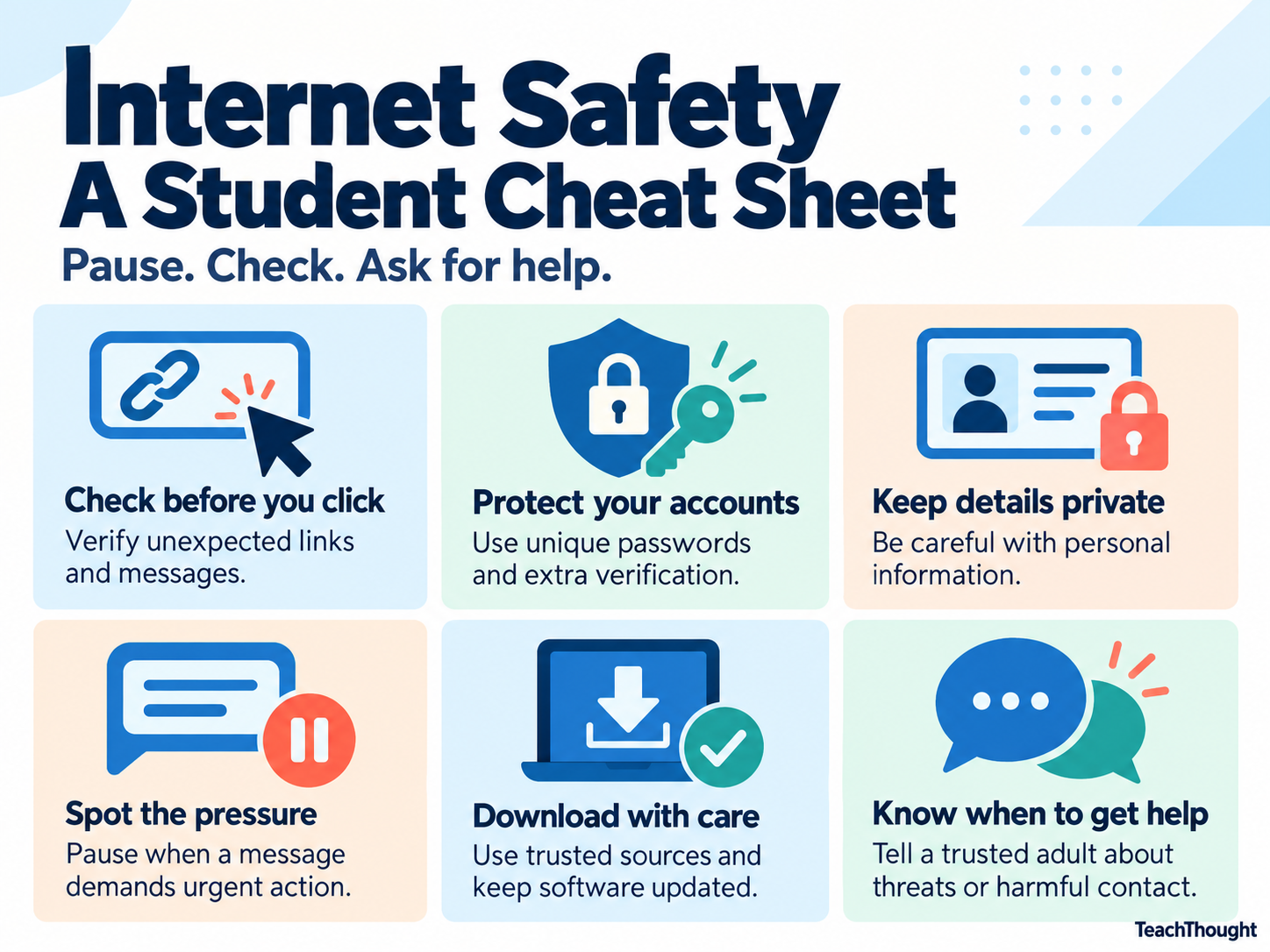
What should teachers do now? Start with the basics. Teach students to identify phishing emails by looking for misspelled sender addresses and urgent language. Show them how to create strong passwords and why reusing passwords across sites invites disaster. Discuss what personal information should never appear online. Make it clear that passwords are private, not for sharing with friends.
Teachers also need training themselves. Many were not taught internet safety in their own education. Professional development sessions should cover password protocols, recognizing social engineering tactics, and reporting suspicious activity to IT departments. Districts should provide clear, written guidelines that teachers can reference and share with students.
The responsibility doesn't rest with teachers alone. School IT departments must enforce strong security measures. Administrators must allocate time and resources for safety instruction. Parents need to reinforce these lessons at home.
Internet safety becomes real when students understand that their actions have consequences. When they grasp that clicking one link can compromise their school account. When they see the connection between good digital habits and protecting both themselves and their classmates.
Schools that treat internet safety as a priority, not an afterthought, report fewer incidents and more engaged students. The solution requires time, training, and consistent reinforcement. It starts with acknowledging that safety begins with the small, everyday choices students make online.